
Collaboration Links in iManage Work
As lead UX Designer, I designed a new secure document sharing feature in iManage Work, balancing user needs and security to improve seamless collaboration.
Project Snapshot
Role
Lead UX Designer
Platform
iManage Work
Timeline
Nov 2022 – Feb 2025+
Tools
Figma, Condens, Wiki, Jira
The Challenge
Users could only share documents securely with colleagues who also had iManage Work credentials. This caused frustration and risky workarounds — people often sent files as email attachments, essentially moving documents outside of the platform, which bypassed security and eliminated document activity tracking.
The goal was to enable secure, trackable document sharing that keeps files within the iManage platform, while granting access to:
External recipients outside the organization
Internal colleagues without iManage credentials
Internal credentialed colleagues blocked by security walls
The Solution
We integrated a new sharing feature, “Share Collaboration Link,” within each document’s existing sharing capabilities and within the security settings:
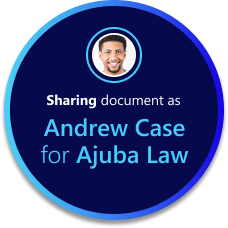
Users could invite recipients by name (credentialed) or email address (external).
Blocked users remained restricted, ensuring security was upheld.
External recipients received a link to a branded iManage landing page, where they could open and collaborate in Microsoft Word in real time.
Users were clearly warned when sharing outside their organization, maintaining transparency.
Two primary work flows designed for sending and receiving collaboration links
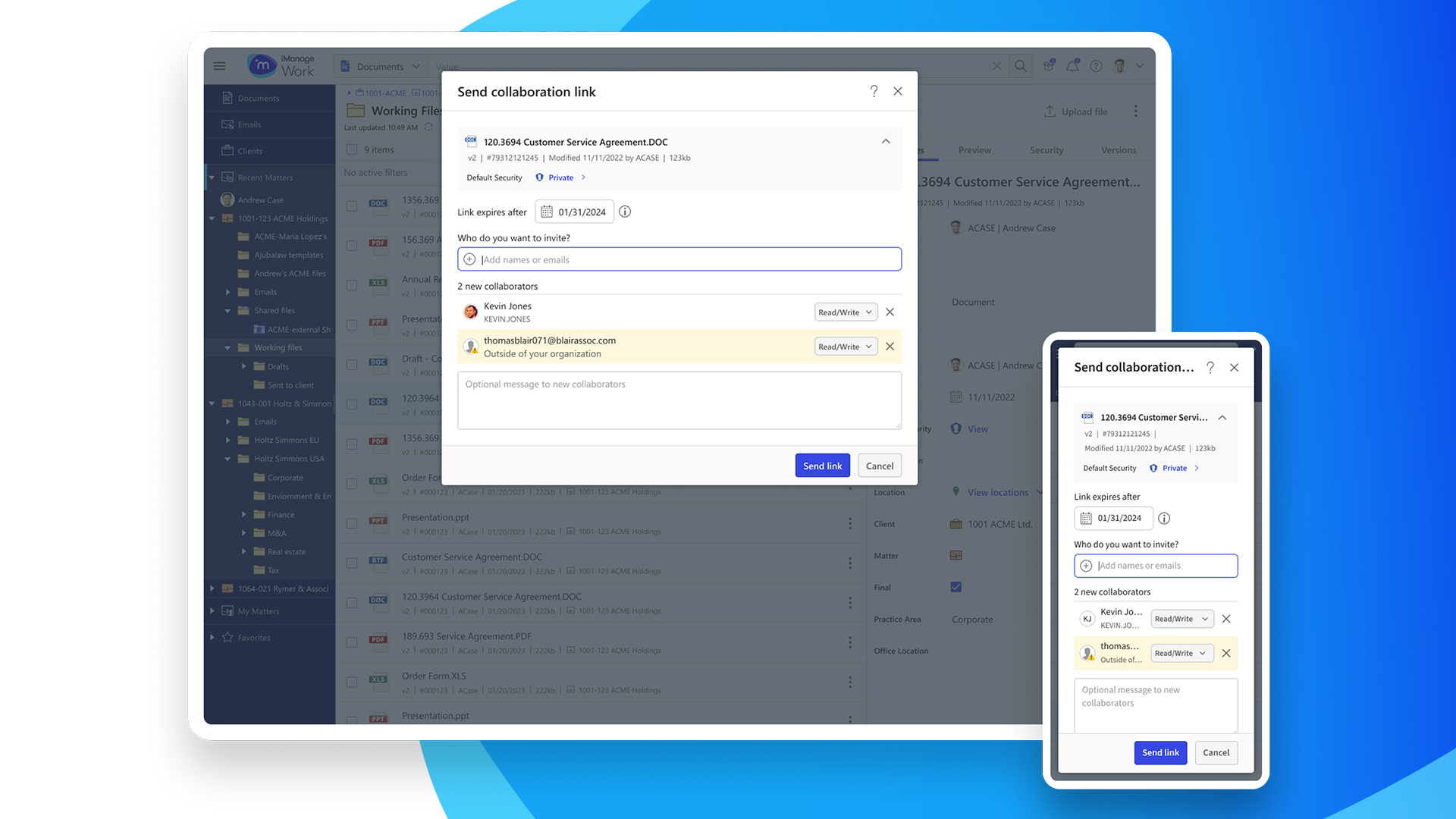
Integrated new “Send collaboration link” feature into existing “Share...” menu:
Integrated the new Send Collaboration Link into existing Share… submenu. Additionally, adding dividers to group existing, related share functions
New “Send collaboration link” feature:
Opens a modal window, similar in function to the other “Share...” menu items
2 New collaborators invited to document:
Users without iManage Work credentials are distinguished with a warning icon and treated as “outside of your organization”
Shared document flagged with new collaboration icon:
Documents shared for collaboration are flagged with an icon in the list and within the document’s properties panel
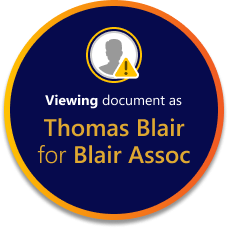
Recipient’s first email:
Recipients receive the collaboration link with a 2 step verification process.
Verify identity and request access:
After clicking the link, recipients verify their email to then receive a second email
Second step email with access code:
Verified and authenticated recipients will receive an access code
Collaboration link landing page:
After users enter their access code they arrive at the landing page where they can download or co-author the shared document in Microsoft Word
Key Design Decisions
Where to Integrate:
Added the feature to the document’s right-click menu, opening a new but familiar sharing dialog.
Transparency:
Designed clear messaging to indicate when a document was shared externally, for how long, and how activity would be tracked.
Versioning Debate:
Engineers initially wanted to lock a document from versioning up while it was shared. Customer testing showed this would block adoption. I presented this back to stakeholders and influenced the decision to allow versioning to remain active, balancing functionality with security.
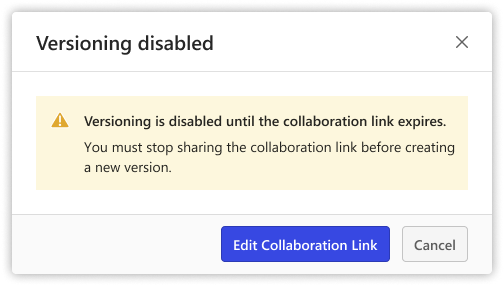
Old design iteration that informed users they could not “version up” a document that was shared with a collaboration link.
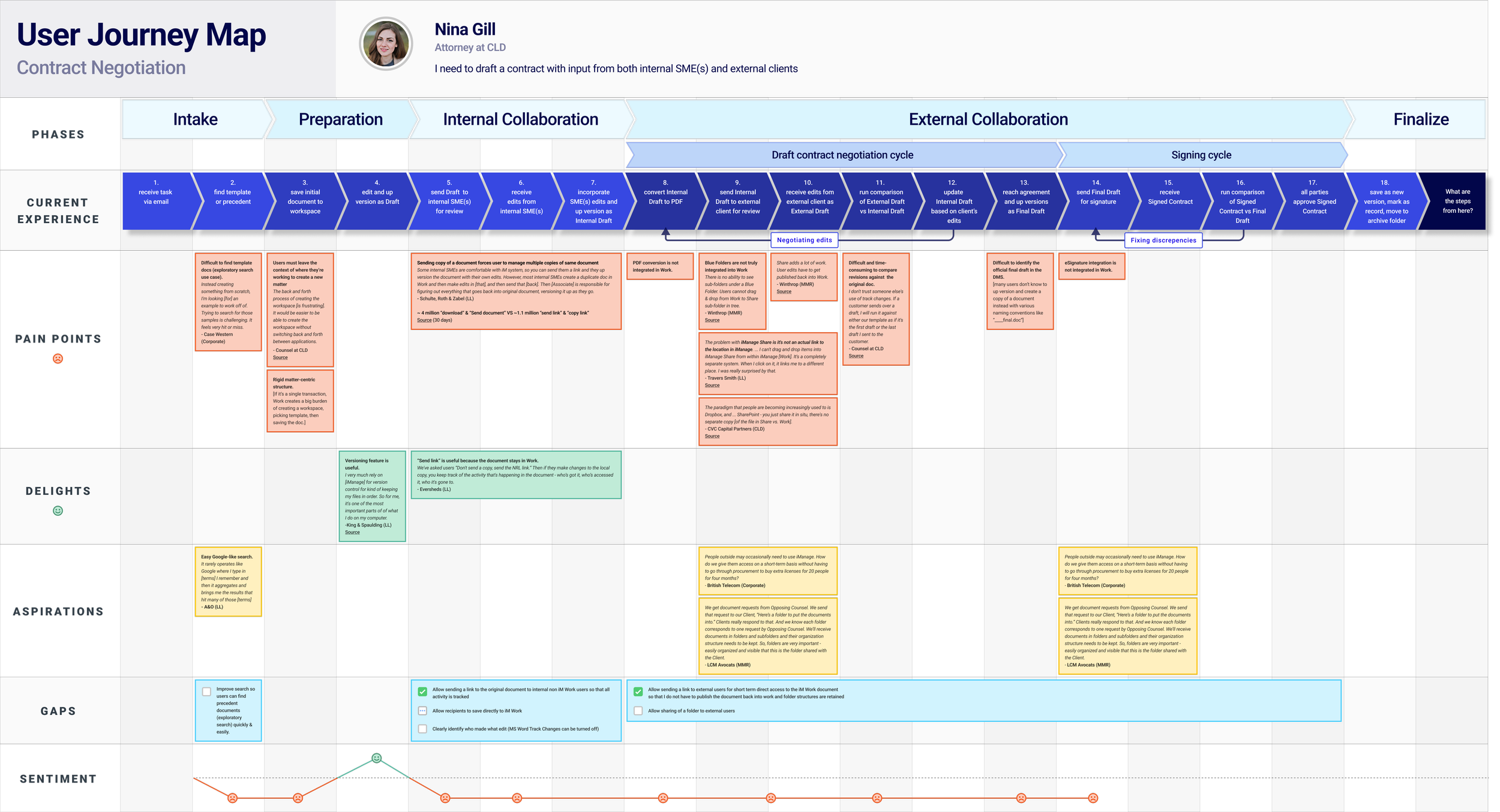
User Journey Map
Discovering pain points, delights, aspirations and gaps in users’ common use case of sharing documents externally: contract negotiation
The Outcome
Although I left before release, the feature was nearly complete:
Users could securely share a single document with anyone not explicitly blocked inside or outside of their organization.
Customers expressed strong interest in expanding the feature to allow multiple documents and folders. I documented this feedback, setting the stage for future phases.
What I learned
This project reinforced for me the importance of:
Balancing user needs with technical constraints — pushing back with evidence when design trade-offs risked adoption.
Iterating through feedback — early concepts shifted significantly once customer voices were heard.
Communicating design decisions clearly — presenting rationale to both users and stakeholders helped align on the final approach.